
Governance
Configure fix approvals, protected paths, and account settings in one place.
Security commentary
Control dependency changes and installation behaviour when coding agents can act faster than reviewers.
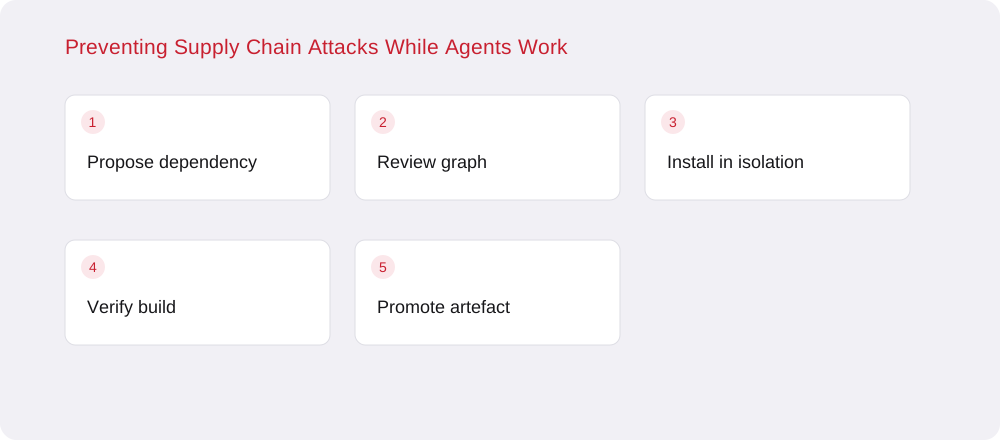
A coding agent may install a dependency while exploring a repository, repairing a build or following documentation. That action changes more than a manifest. A package manager can download transitive dependencies and invoke supported lifecycle scripts, giving new code an opportunity to run inside the development environment. If that environment also contains deployment credentials, the security consequence can extend well beyond the repository being edited.
Treat dependency installation as a capability with its own scope. Decide which registries, package sources and execution contexts are allowed before the agent starts. A request to fix a test should not silently grant the ability to fetch arbitrary code and run it beside unrelated secrets.
Keep manifest and lockfile changes together and inspect the resolved packages, not only the top-level name requested by the agent. A minor-looking update can change the transitive graph or introduce a new installation step. Preserve the registry source and integrity information where the ecosystem supports them. Use a reproducible installation mode for automated builds so the dependency graph is not unintentionally re-resolved during each run.
For npm, the documented behaviour of npm ci and the ignore-scripts setting provides useful control options, with different tradeoffs. Disabling scripts may break legitimate build dependencies, so test the application rather than applying a setting and assuming it is harmless. Record any exceptions with the package version and the reason they are needed.
Run unfamiliar dependency evaluation in a disposable environment without production credentials. Restrict outbound network access to the destinations the task needs. Keep package caches and build artefacts scoped so an untrusted exploratory run cannot replace artefacts used by a trusted release. An isolated test should be able to fail without damaging the developer's wider workspace or gaining access to other projects.
After review, promote the selected dependency change through the ordinary code and build process. Avoid carrying an entire exploratory environment into production. Rebuild the artefact from reviewed inputs in a known environment and retain provenance that connects the artefact to its source and build process.
Watch for unexpected installation scripts, new external destinations and requests for credentials that are unrelated to the package's purpose. These observations require investigation rather than an automatic conclusion that a package is malicious. They are most useful when tied to the exact version, process and activity that produced them. Keep evidence separate from a model's explanation of what it thinks happened.
A policy exception should name the dependency, permitted operation and approving owner. Review it when the version changes instead of allowing it to become a permanent bypass. Automation can accelerate development without turning package installation into an unrestricted execution path, provided the dependency decision and the environment's authority remain visible and bounded.
For an unfamiliar build dependency, begin with a disposable job and inspect which files and destinations it needs. Grant a narrowly documented exception only after that review, instead of adding the package to a general allowlist shared by unrelated projects.
Configure fix approvals, protected paths, and account settings in one place.

Review findings and fix activity in one place, with finding exports available.

Review recorded scan activity and finding state changes.

Account membership controls access to connected repositories and findings.

Bring your own encryption key. Your data stays encrypted with keys you control.